Started exploring Podman to setup rootless containers using pasta networking for some of the services I run on my Kubuntu desktop. A surprisingly difficult part is the networking. Recall previous posts where we have both IPv4 and IPv6 enabled and also have ULA addresses in IPv6 for the hosts in addition to GUA addresses. This creates some interesting issues which are difficult to troubleshoot.
Setup
I am trying to setup a wyoming-whisper container that can be used by my Home Assistant which runs on a remote machine. The basics of setting up a rootless container for this is straightforward with podman. One gotcha is you can seemingly only bind to IPv4 or IPv6 using tcp://0.0.0.0:10300 or tcp://[::]:10300 – binding to both so the service is accessible through both IPv4 and IPv6 seems not possible without running some socat forwarding.
Issue
After setting up firewall rules on the router allowing access to the host + port, I could see that access from a remote host (by IPv6 only as I set up the container to just run the service bound to IPv6) worked fine. Since I have ULA + DNS setup, both name based and ULA based (since I have the container publish port only to the ULA address), both work fine when accessed from a remote host. However, accessing from localhost was only working when accessed via [::1]:10300 and did not work when accessed via the ULA address. This turns out to be due to the way address selection works for packets – the diagrams below illustrate the working remote case, working localhost case and non-working localhost case which should explain the issue better:
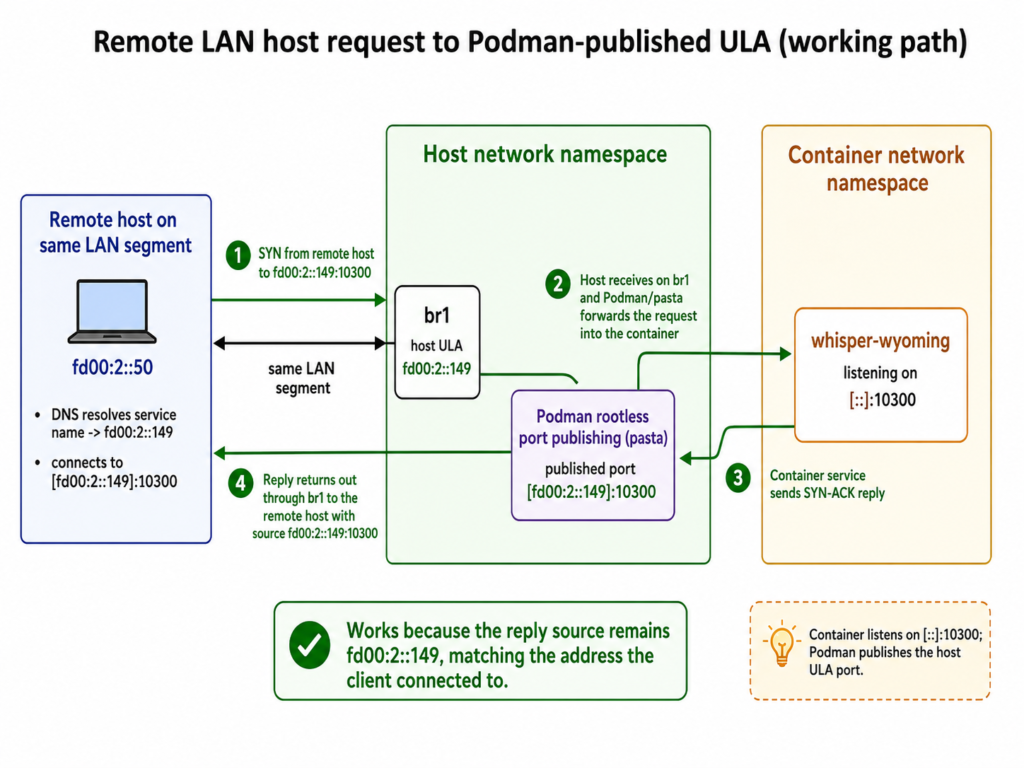
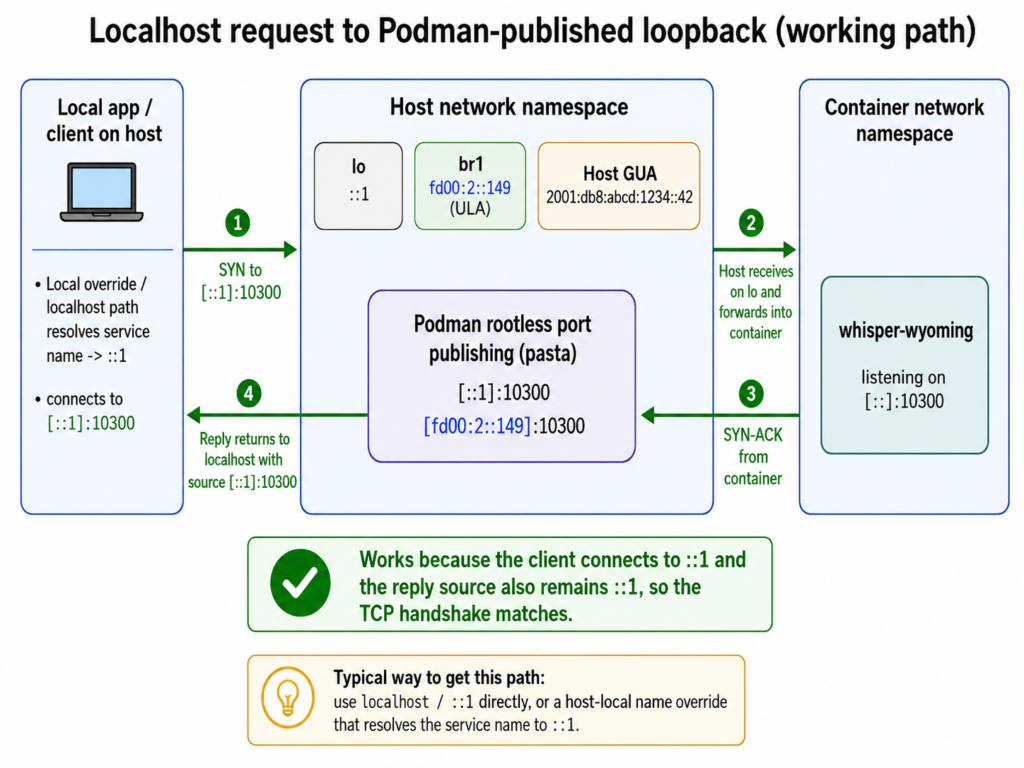
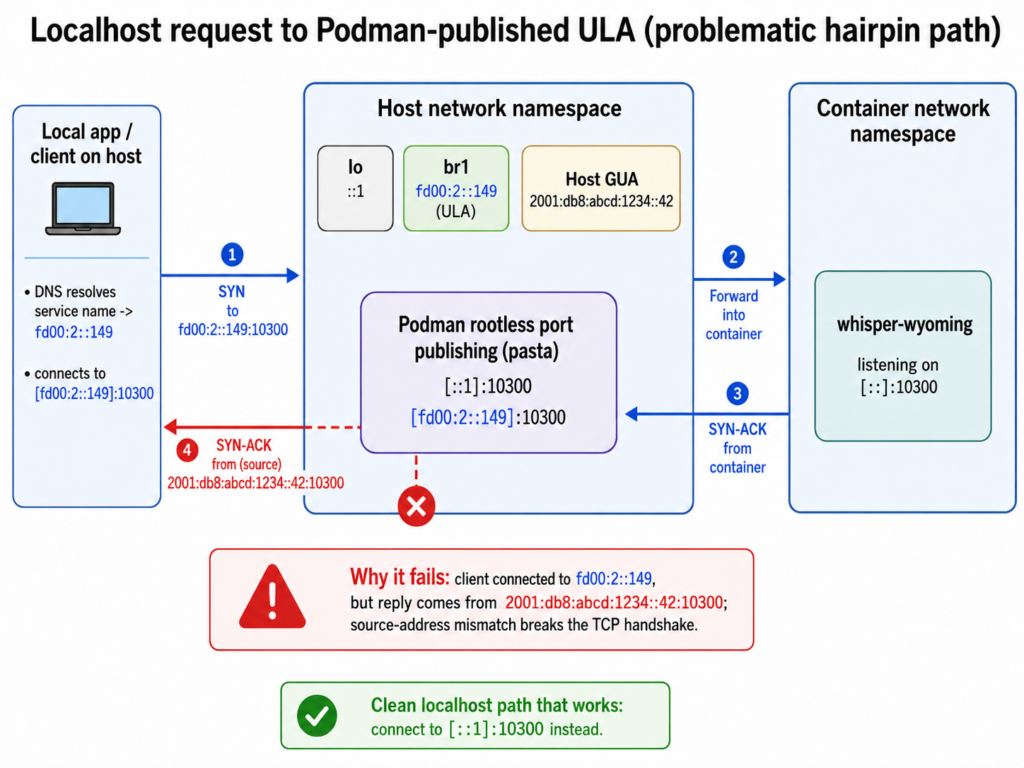
There are no satisfactory ways of fixing the problem and the best approach is just using [::1]:10300 when connecting from localhost.
Debugging Tools
The main tool to debug issues is being able to sniff traffic in the container itself. Here is the command you can use to run a tcpdump for traffic logging in the container without needing to install anything on the container that expands its footprint (so tools only need to exist in the host):
PID=$(podman inspect wyoming-whisper --format '{{.State.Pid}}')
sudo nsenter --net=/proc/$PID/ns/net tcpdump -i any -nn "port 10300"
Be aware that tcpdump inside the container will give you traffic as the container sees it which will be different from tcpdump on the host which is traffic as the host sees it. That in turn can be different from tcpdump on the remote client (if you are troubleshooting that).